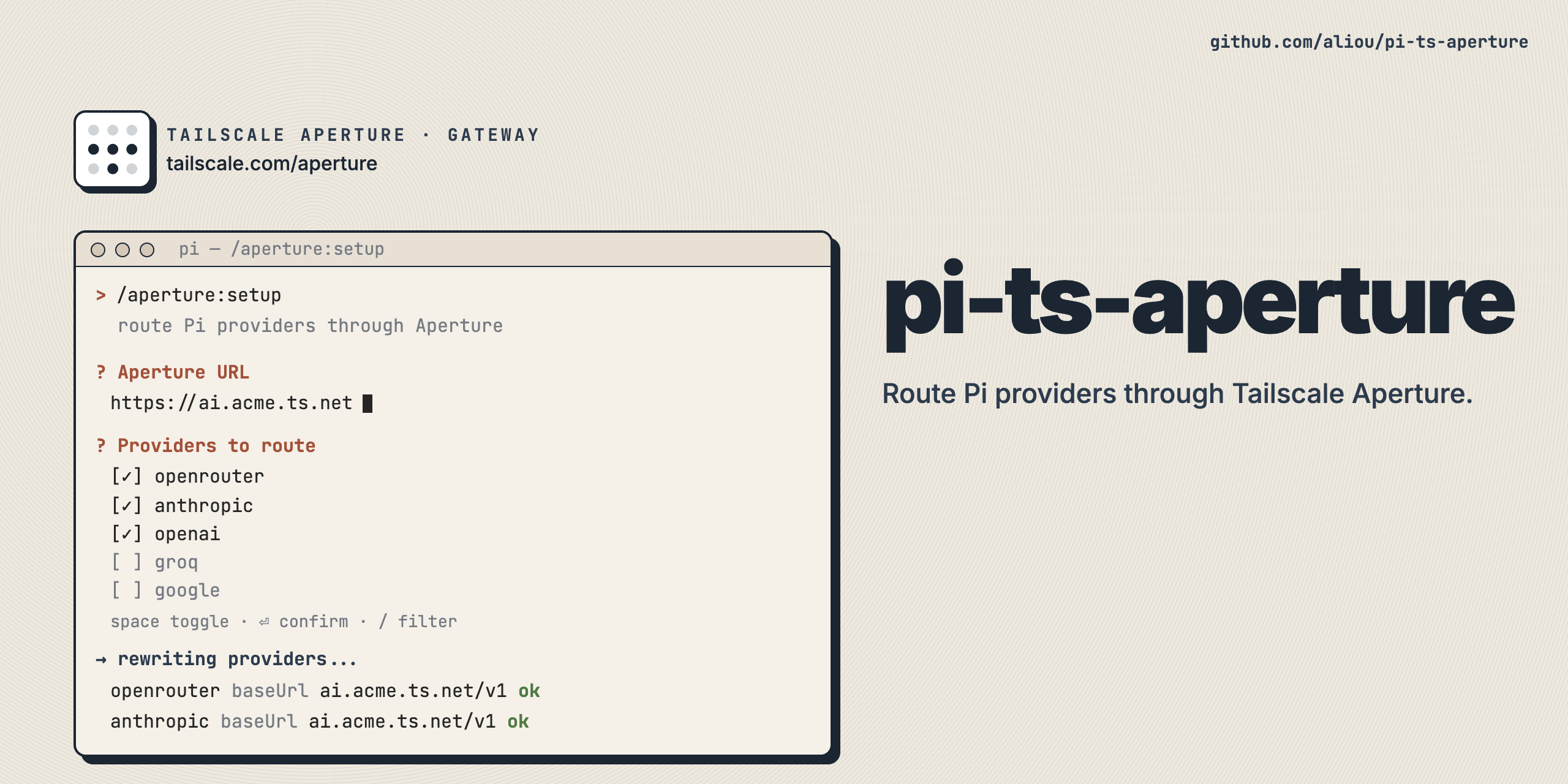
Route Pi LLM providers through Tailscale Aperture, a managed AI gateway on your tailnet.
Aperture handles API key injection and request routing server-side. This extension integrates Pi with Aperture in two modes: dedicated (standalone provider) or proxy (reroute existing providers).
pi install npm:@aliou/pi-ts-apertureAfter installing, run the onboarding wizard:
/aperture:onboarding
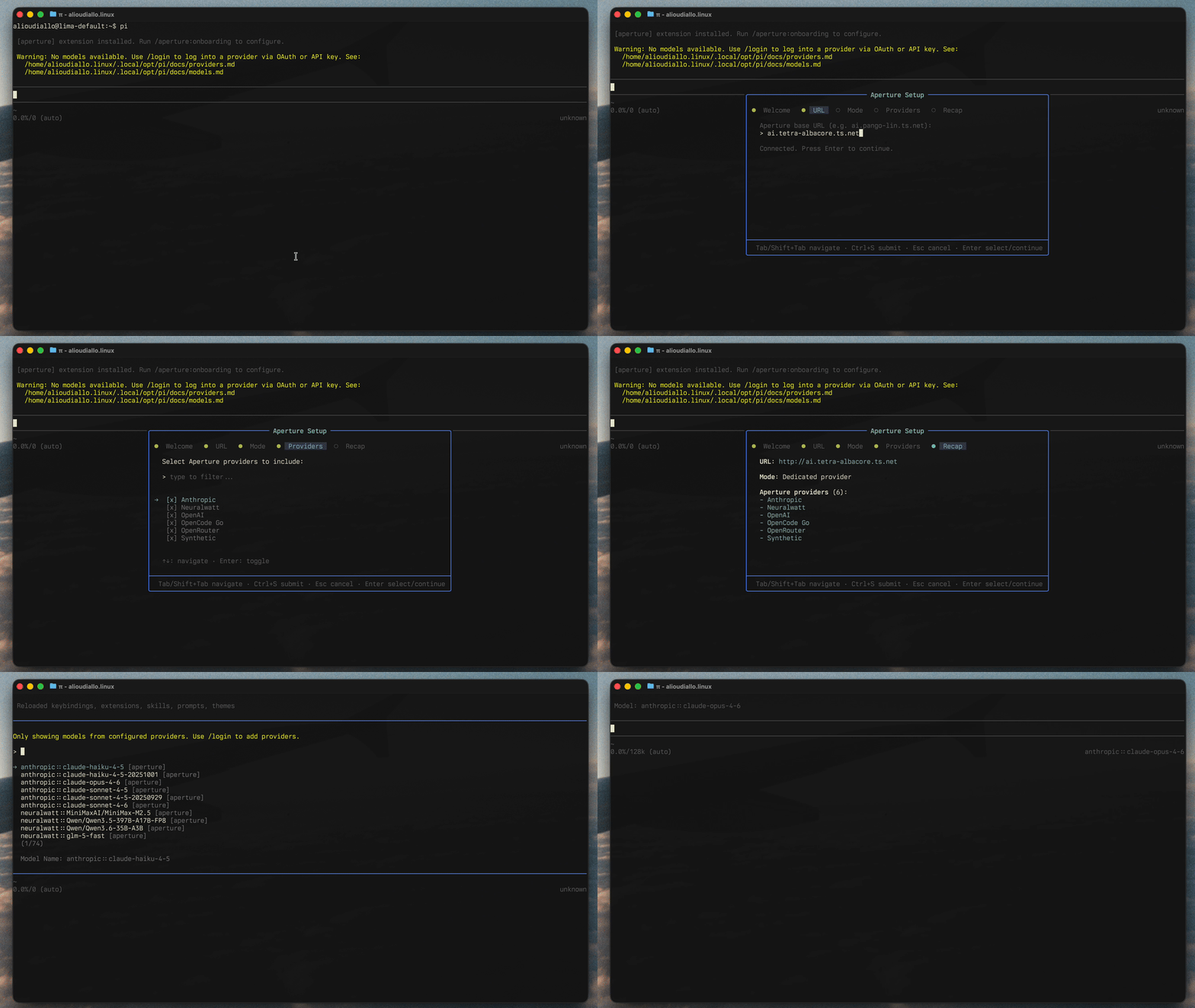
The wizard walks you through:
- Aperture base URL, with a
/v1/modelshealth check (e.g.ai.your-tailnet.ts.net) - Mode selection: dedicated or proxy
- Provider selection:
- Dedicated mode: choose which Aperture gateway providers to include
- Proxy mode: choose which existing Pi providers to route, with optional gateway model verification
- Recap and save
Proxy mode marks onboarding complete after the wizard. Dedicated mode keeps the onboarding extension enabled after the wizard so the agent can sync and validate model metadata. After validation passes, the agent uses aperture_complete_onboarding to disable the temporary onboarding tools and skill.
You can change everything later with:
/aperture:settings
Registers a standalone aperture provider whose model list comes from the Aperture gateway. You can include all gateway providers or filter to specific gateway providers during onboarding or in settings.
Model IDs use the format {providerId}::{modelId} (for example, anthropic::claude-sonnet-4-20250514). The provider prefix is stripped before requests reach Aperture.
Dedicated mode uses the openai-completions API for all models. Because Aperture does not expose every Pi model capability yet, models use shared defaults on first load: 128k context, 8k max output, text input, and no reasoning. Gateway pricing is mapped to Pi costs when Aperture returns pricing data.
Gateway model data is cached locally so models appear instantly on startup, then refreshed in the background.
In dedicated mode, the onboarding extension stays enabled until model metadata is synced and validated. It exposes:
sync-aperture-modelsskill: looks up real capabilities (context window, max tokens, reasoning, input modalities) from models.dev and upstream provider endpoints, then updates~/.pi/agent/models.json.aperture_validate_models_jsontool: validates Pi'smodels.jsonschema and checks that Aperture models include capability fields.aperture_complete_onboardingtool: marks onboarding complete and disables the temporary onboarding tools and skill after validation passes.
User-defined model entries in models.json take precedence over gateway defaults and persist across restarts. The extension still owns routing details and cost data from Aperture gateway pricing.
Reroutes existing Pi providers (anthropic, openai, etc.) through Aperture. Each provider keeps its own model definitions and settings. Only the base URL, API key, and headers are overridden.
Proxy mode is useful when you want Pi's native per-provider model configuration but want requests to go through Aperture for server-side credentials and routing.
| Command | Description |
|---|---|
/aperture:onboarding |
Onboarding wizard. Only available until setup is marked complete. |
/aperture:settings |
Settings UI to update connection, mode, proxy providers, dedicated provider filters, onboarding status, and the onboarding extension toggle. |
Both modes send requests to Aperture with provenance headers:
Referer: https://pi.devX-Title: npm:@aliou/pi-ts-aperturex-session-idfor grouping requests in the Aperture dashboard
In dedicated mode, x-upstream-provider-id is also sent so Aperture routes to the correct upstream provider.
For each configured upstream provider, the extension calls registerProvider with:
baseUrlset to your Aperture URL +/v1apiKeyset to"-"because Aperture injects upstream credentials server-side
Optional gateway model verification can warn when configured Pi models are missing from the Aperture gateway. Removed providers are unregistered with a notification to /reload for native provider recovery.
Dedicated mode fetches models from Aperture /v1/models and provider compatibility from /aperture/config, merges gateway models with user-defined providers.aperture.models from ~/.pi/agent/models.json, and registers an aperture provider.
Aperture compatibility controls the Pi API and base URL used for each upstream provider at runtime. For example, OpenAI-compatible providers use /v1, Anthropic-compatible providers use the gateway root, Gemini-compatible providers use /v1beta, and Vertex-compatible providers use /v1.
User-defined models from models.json take precedence over gateway defaults, so custom capabilities such as reasoning, context window, max output, and input modalities are preserved across restarts. If a user model does not define cost, the extension keeps the cost derived from Aperture gateway pricing.
Dedicated mode also caches gateway models in the global config. On startup, cached models are registered immediately, then the gateway is refreshed in the background and the cache is updated if the model list changed.
Configuration is saved globally to ~/.pi/agent/extensions/aperture.json.
{
  "baseUrl": "http://ai.your-tailnet.ts.net",
  "mode": "dedicated",
  "onboardingDone": true,
  "proxy": {
    "upstreamProviders": [
      { "id": "anthropic", "shouldCheckGatewayModels": true }
    ]
  },
  "dedicated": {
    "providers": [
      { "id": "anthropic", "name": "Anthropic", "enabled": true },
      { "id": "openai", "name": "OpenAI", "enabled": true },
      { "id": "google", "name": "Google", "enabled": false }
    ]
  }
}
dedicated.cachedModels may also be persisted by the extension. It is an internal startup cache, so you normally do not need to edit it by hand.
- A Tailscale tailnet with Aperture configured
- The device running Pi must be on the tailnet, or otherwise able to reach your Aperture endpoint
- Use the URL/scheme that matches your deployment (
http://orhttps://)